![Logo_PEAX_RGB (1).svg]](https://crm.peax.ch/hubfs/Logo_PEAX_RGB%20(1).svg)
As soon as a document has been uploaded to the PEAX portal, this process begins automatically. You can check the status at any time during processing.
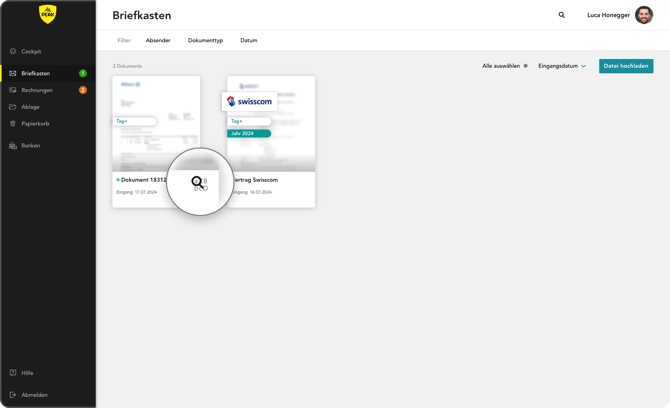
Magnifying glass below the document
As long as the magnifying glass is visible and moving, the capturing process is still running. This means that the system is currently reading and processing the data from your document.
Capturing process complete
When the magnifying glass disappears, automatic processing is complete. The document has been read in its entirety, the information has been correctly captured, and is available for all other functions in the portal.
It is normal for the process to take different amounts of time depending on the document type, size, and quality of the scan. Large or multi-page documents take a little longer, while simple letters or invoices are usually processed very quickly.
This gives you visible feedback on the status of your documents at all times and lets you know exactly when they are fully available in the portal.